Latest Products


Contact Us
- No.116, Changda Rd, Yuhang District, Hangzhou, Zhejiang, China
- eva@conloon.com
- +86-571-81600072


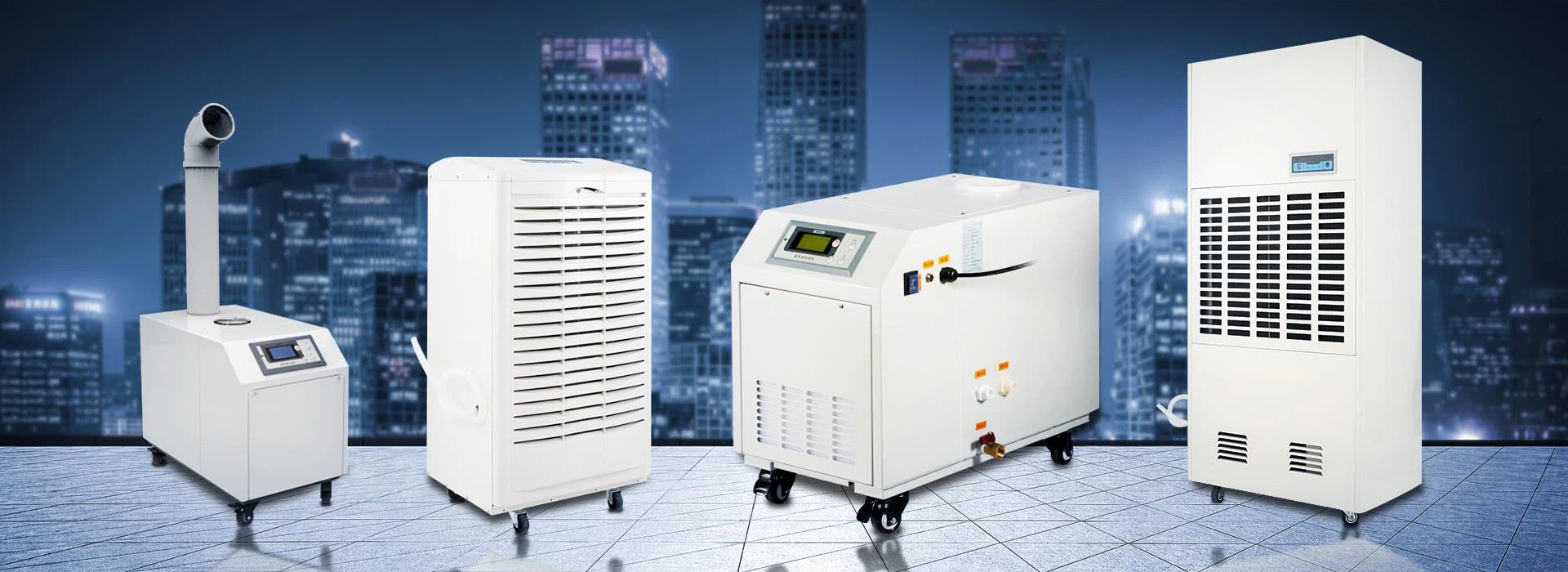
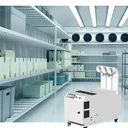
Network Room Humidifier
Micro-computer humidity setting, automatic induction, automatic control.
Description


Special humidifier for network room
1. Under certain circumstances, the air around the IT equipment may adversely affect the built-in electronic components and cause malfunction and downtime. The water vapor contained in the air can protect the IT equipment from electrostatic discharge and rely on precision refrigeration. The solution to maintain the humidity level in the computer room and data center does not guarantee the total humidity of the IT equipment inlet, its role and how to manage the humidity level inside the computer room and data center. The trained professional IT staff can run the mastery. Moderately relevant knowledge in the data center increases equipment availability while reducing operating costs.
2. IT room humidity characteristics: air consists of a variety of gases, including nitrogen (17%), chlorine (21%), carbon dioxide (0.3%), and the ability of water vapor, water vapor in the air is called humidity. In an IT environment, air with the right amount of water vapor plays a very important role in maximizing the availability of computer equipment. Too little or too much water vapor in the air can directly lead to reduced computing power and equipment downtime.
3. How to quantify humidity: Under normal circumstances, the water content in the air is actually very small. One pound of air in the normal data center (air weighable) can occupy 0.385 cubic meters, and the air in a small data center with a ceiling height of 3.04 meters will normally contain 1863 milliliters of water vapor. However, the water content at this air capacity is not fixed, and as the air temperature increases, the air will be able to contain more and more water vapor. Conversely, as the air temperature drops, the ability of the water content in the air will also decrease.
4. Impact of humidity in the IT environment: In the IT room or data center, it will be beneficial if the humidity is kept at an appropriate level, and if the humidity is too high or too low, it will cause potential problems. The biggest benefit of keeping the humidity at the right level is that it allows the air itself to slightly increase the conductivity and make the air contact surface slightly "wet" to reduce the "charge" effect that can cause electrostatic discharge. Since the conductivity of the air is slightly improved, the possibility of positive and negative charge differences may result in damage to the computer equipment (sparks above 10,000 volts). Low humidity cold air flowing in the data center is a potential source of potential for static electricity. Cold air must be maintained at the proper temperature level each time it flows through an ungrounded insulation. The accumulation of static electricity generated by daily work activities at different levels of relative humidity is also different. As shown in the table:
Work activity static electricity accumulated at 80% relative humidity and 20% relative humidity
Work activity | Static accumulation at 80% relative humidity | Static accumulation at 20% relative humidity |
Walk over ungrounded elevated floors | 250V | 12000V |
Walking on artificial carpet | 1500V | 35000V |
250 volts of static electricity and 1,500 volts of static electricity pose no threat to computing equipment. 12,000 volts and 35,000 volts may discharge sparks and damage equipment. When the relative humidity level in the IT environment is high, the possibility of release can be further reduced. But this is not the ideal condition we need because it increases the likelihood of corrosion of metal components. At the same time, high relative humidity increases the risk of water damage to the equipment. This is why the humidity range that is likely to be accepted in most IT equipment instructions is “non-condensing humidity”. Essentially, device manufacturers want to express that as long as the temperature of the device itself and the temperature of the surrounding environment remain above the dew point, their equipment will operate normally over a range of temperatures (typically 20%-80% relative humidity). This temperature is the temperature at which the water vapor in the air begins to condense on the equipment into water droplets, as in the case of the cans we have previously mentioned. Environments with high relative humidity and rapid temperature changes are most prone to moisture condensation. If the humidity in the IT environment where high-speed printing is performed exceeds the upper line, the paper will expand and the thickness will increase, causing paper jams and malfunctions.
5. Reasons for changes in humidity in the IT environment: Infiltration, condensation, and ventilation can cause temperature changes in the IT environment. The humidifier can add water vapor and the dehumidifier can remove water vapor. Together, they can help maintain the temperature of the IT environment at a certain level.
Penetration - If we can place high humidity air adjacent to low humidity air, both will quickly neutralize to an intermediate humidity level. When the computer room is different from the air humidity in the outdoor or office around it, the humidity level of these spaces will continue to "try" to achieve uniformity. Obviously, the walls, floors and ceilings around the IT environment should prevent this "attempt", but in most cases they won't succeed. Water vapor can escape or enter from any void face or fine cracks, changing the relative humidity of the IT environment. The amount or decrease in the amount of humidity that causes the increase in humidity depends on the difference in humidity and temperature between the size and space of the flow area. For example, let us assume that the small data center (temperature is 23 ° C or 73 ° F, relative humidity 50%) described above is in an external environment with a temperature of 2 ° C and a relative humidity of 30%. If we open a very common door between the machine room and the outdoor environment (for example, an emergency exit door), the relative humidity in the room will drop to less than 50% almost immediately. Within 12 minutes, the relative humidity in the room will be less than the recommended minimum of 40% (assuming there is no supplemental humidifier in the room). If the data center is equipped with a supplemental humidifier and the door remains open, we will lose 2.73 kilograms (6.1 pounds) of water per hour. The penetration problem requires us to provide additional equipment to adjust the humidity balance, and in some serious cases, It can't be adjusted at all.
Condensation - In some cases, the cooling process in an IT environment may carry large amounts of water vapor, resulting in lower relative humidity. This phenomenon occurs when the hot air in the data center passes through the cooling coil of the computer room air conditioner. Most cooling coils are kept at a constant humidity of 6-9 ° C (43-48 ° F). This temperature is usually lower than the dew point of the air in the IT environment, so the cooling coil is the same as the condensation on the surface of the can. There will also be condensation on the water. A large amount of airflow (more than 4.5 cubic meters per 160 cubic feet per minute per kilowatt of computing equipment) flows through the cooling coil at high speed. If the air is in contact with the cooling coil for a time sufficient to cool it below the dew point, liquid water is present on the cooling coil, referred to as "condensed water." The pump inside the refrigeration unit removes the condensate from the IT environment and into the building's drainage system. The purpose of the humidifier is to add the required water vapor to the airflow to the refrigeration unit. Humidifiers are very common accessories in computer room air conditioners.
Ventilation - All buildings must constantly introduce outdoor fresh air for the personnel in the building to support. The new wind that enters the computer room and data center is called “replenishment air” and has an impact on relative humidity. The amount of fresh air required is determined at the design stage of the room and is calculated according to the specific intended use of the room, the number of people that may be present in the room, and the effective laws of the construction phase. The humidity of the IT environment caused by ventilation changes according to the room. The amount of outdoor air and the geographical environment in which the building is located vary. Ventilation introduced in dry and cold climates or in desert areas usually reduces humidity. Ventilation introduced during warm weather or rainy seasons increases humidity. The amount of ventilation required is typically a known amount and is planned in the refrigeration solution.
Hot Tags: network room humidifierChina, manufacturers, suppliers, factory, wholesale
You Might Also Like